Abbzizer lets you “resize” an App window to the sizes App Store Connect accepts for screenshots. It helps you find the proper “format” much easier. You can then either “capture” the window.. or just drag the capture border close to the window border
Usage Statistics
If you enable usage sharing, this is what we record:
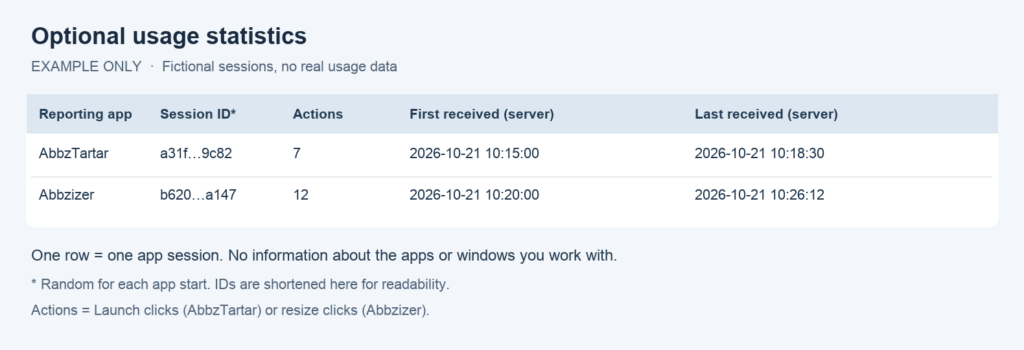
Example data only. Each row represents one app session, not a person or a device.
- App: AbbzTartar or Abbzizer — the tool sending the report.
- Session: a random number generated for each app start. It prevents duplicate counting when a report is retried. It does not identify your computer or connect different app starts.
- Actions: Launch button clicks in AbbzTartar, or resize button clicks in Abbzizer. These count clicks, including actions that may fail, rather than guaranteed successful operations.
- First / last received: timestamps generated by our server when it receives reports. They are not a history of individual clicks. Offline reports can arrive later.
No target app names, bundle IDs, window titles, project names, file paths, contents or persistent device identifiers are included. We do not track which app you launch or which window you resize.
Sharing is off until you allow it. You can decline during setup or turn it off in Settings at any time; all app features remain available. Turning sharing off deletes unsent reports on your computer. Reports already received remain on the server.
Reports are sent via HTTPS to support.inmood.ch, operated by Michael Zischeck. As with any connection, the server receives your IP address and hosting access logs may record it; the usage statistics table itself does not store IP addresses. This is why we describe the reports precisely rather than promising complete anonymity.
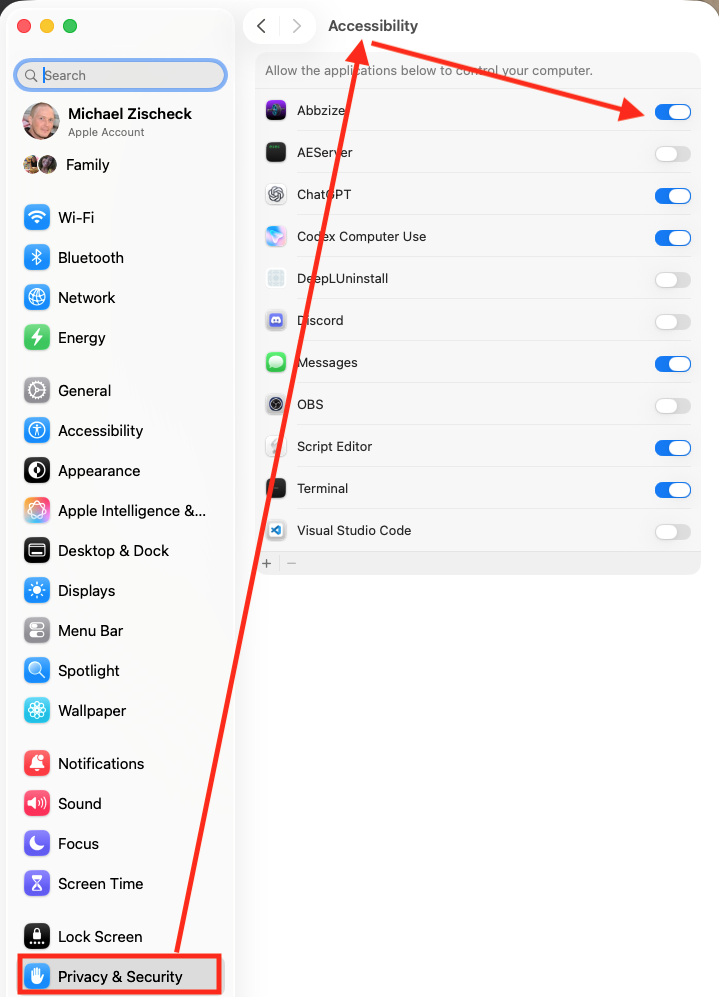
Sytem Settings
Abbzizer needs proper access for that in System Settings.