Click Check to compare screenshot and video counts across languages for each device.
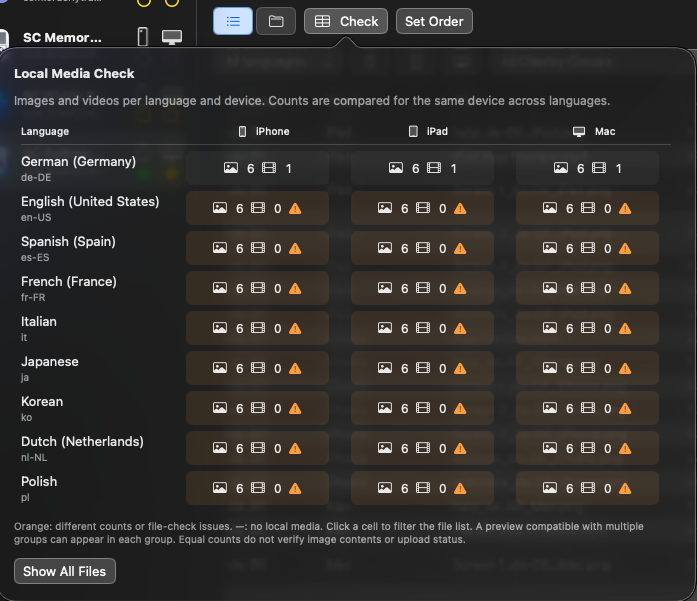
Orange cells indicate different counts (compared with primary language) or file check issues. A dash (–) means no local media was found.
Click a cell to filter the asset list, or Show All Files to reset the filter.
Matching counts do not confirm that image content is correct or that files have been uploaded.


