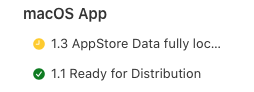
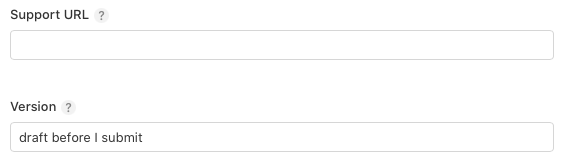
The Version field (below support URL) in App Store Connect is a free-text label. You can enter anything you like—not just a version number.
For example:
1.3 App Store data fully localizedThis version has a black backgroundMy first release
This field is separate from the version and build numbers embedded in your uploaded build, which appear in the Build section.
If your app supports both iOS and macOS, their Version labels do not need to match—even when the uploaded builds use identical version and build numbers. Give each platform release a label that makes sense for it.
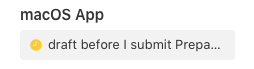
When I created my first projects for both macOS and iOS, I assumed these Version labels had to stay “in sync.” They don’t. I use them simply to keep track of each platform’s release. The sidebar starts with a single version entry. After that version is released, it remains the only entry until you add a new version. You then see two entries: the published version and the upcoming release. Once the new version is released, it replaces the previous published entry, leaving just one entry again.